PRODUCT

Orders, staff, stock and payments. All connected.

Run table service and track the business behind it. LeisureOS brings customer orders, staff tasks, stock and payment records into one system.

CustomerOrder, track, call staff, request payment
StaffOwn tables, serve, respond, record payments
OwnerSee revenue, profit, stock and performance
BranchesKeep locations separated and controlled
OWNER & MANAGER

Check your venue without waiting for a report.

See sales, payments received and unpaid balances alongside stock, expenses and profit. Check active tables, bookings and pool activity from the same dashboard.

  • See sales and recorded payments separately
  • Track stock and item costs when orders are served
  • Review profit based on recorded costs and expenses
  • Review each branch and control team access
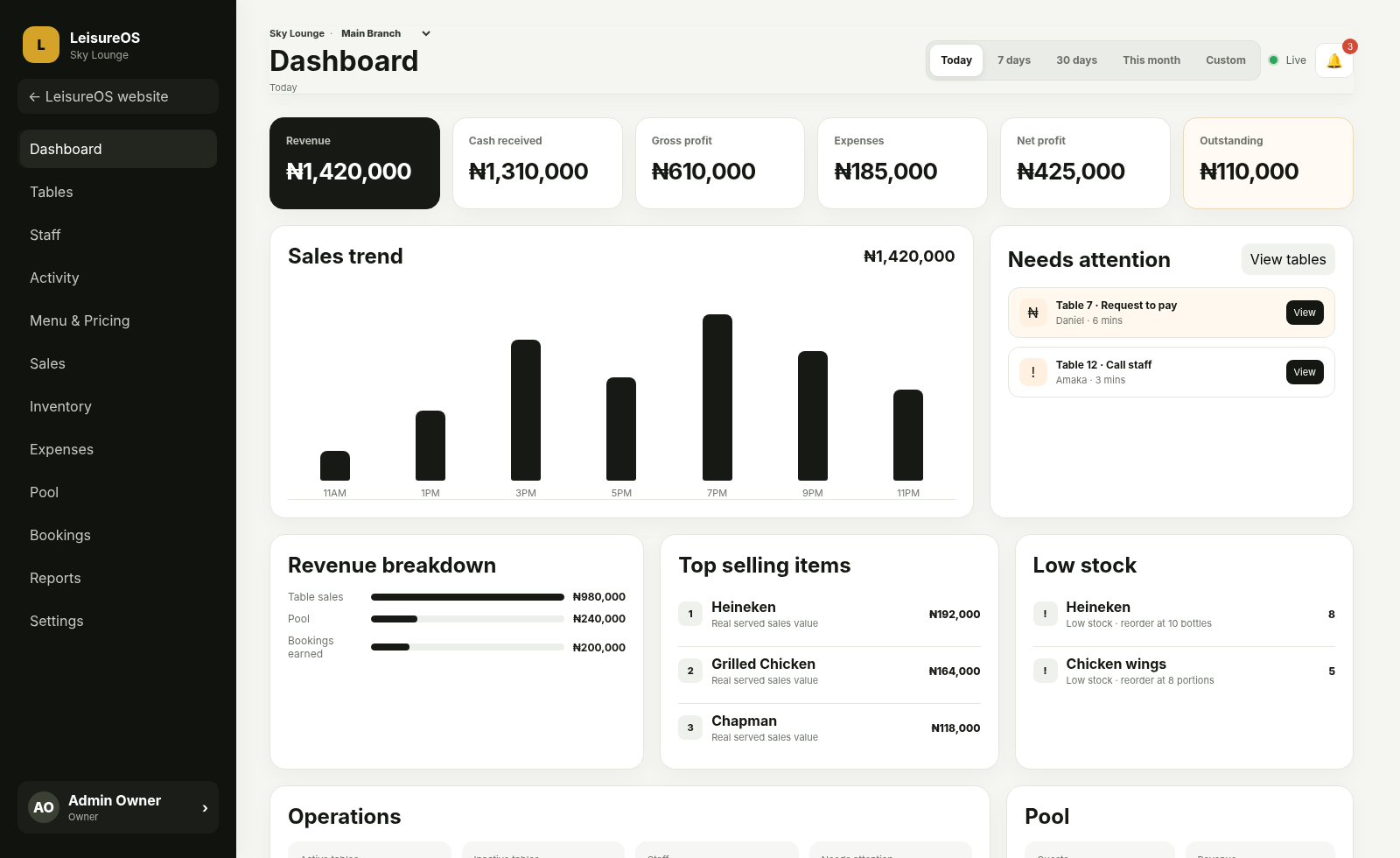
Current LeisureOS owner and manager dashboard
STAFF

Know who is looking after each table.

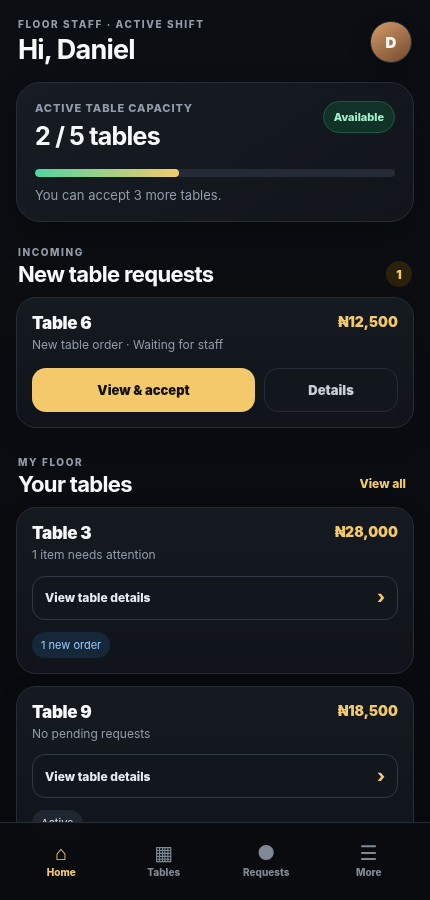
A staff member accepts an available table and handles its follow-up orders, calls for help and requests to pay. The team can see who is responsible.

  • Assigned tables and staff workload limits
  • View the order before accepting
  • Update order status and respond to guests
  • Cash, POS, Transfer and mixed payments
Current LeisureOS staff mobile interface
CUSTOMER

Scan the table QR. Browse. Order.

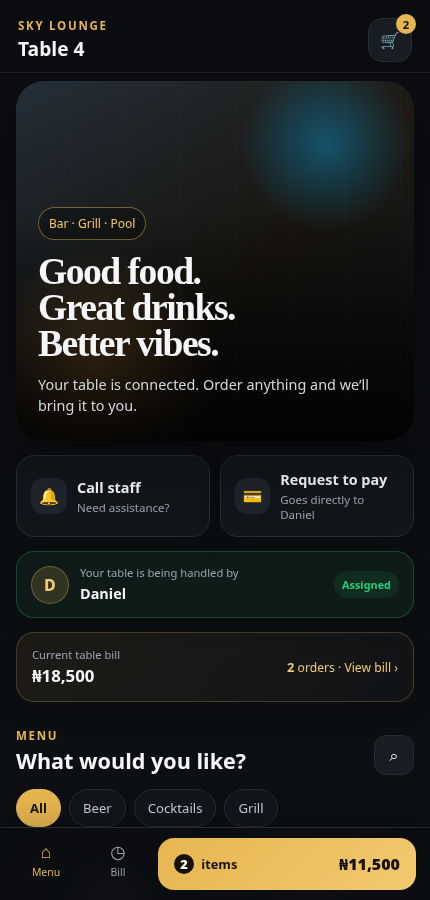
Guests open your menu in their phone’s browser. They can place orders, follow progress, check their bill and ask staff for help or payment.

  • Secure table-specific QR access
  • Menu, cart and running bill
  • Live staff assignment and order status
  • Call Staff and Request to Pay
Current LeisureOS customer QR ordering interface
CONNECTED MODULES

Keep everyday venue records in one place.

Bring table service, stock, expenses and bookings together so you can follow the activity behind your numbers.

01

Tables & QR

Give each table its own QR menu. Guests can order without signing up.

02

Sales & Payments

See the value sold, payments recorded and balance still to collect.

03

Stock & item costs

Deduct linked stock when an order is served and keep the item cost recorded at that time.

04

Expenses & Profit

Record your operating expenses and see how they affect profit.

05

Pool & Bookings

Track pool entry and capacity. Manage reserved spaces, deposits and balances.

06

Reports

Compare sales, payments, costs and activity across staff and locations.

BE READY FOR LAUNCH

Bring your venue’s daily work together.